

AI at your cursor, for Windows
Ask mid-sentence.
The answer takes its place.
In an email, a Slack message, a Word doc or a web form, type "Let's talk at <<3:30 central in pacific>>." The moment you close the brackets, the question becomes 1:30 PM Pacific, right where you typed it. No window to open, nothing to copy back.
If Windows SmartScreen asks about this new release, click More info → Run anyway. The installer is code-signed and verified.
Thursday works for me. Let's talk at 1:30 PM Pacific. I'll send the invite.
Typed in the email. The answer took the question's place.
Watch it (35 sec)
Works wherever you type
- Outlook and Gmail
- Slack and Teams
- Word and Google Docs
- Notion
- Web forms
- Notepad
No plugin per app · no browser extension · no chat tab to switch to
The inline lookup
Two brackets.
No trip to another window.
You are mid-email and need a fact, the right word, a polite phrasing or a translation. Normally that means a new tab, a search, a copy and a paste back. Here you just ask, inside the sentence, and keep going.
Type << and your question
Anywhere you can type. Nothing happens yet, so you can fix a typo or change your mind.
Close it with >>
That last keystroke is the go button. A small "Thinking" strip shows it is working.
The answer replaces it
The question and both brackets disappear and the answer sits in their place, glowing for a moment so you can see what changed. Keep typing through it: your words land after the answer.
Answers that fit the sentence
Ask for a capital and you get "Rome", not a paragraph about Italy. Ask for "top 3" and you get a short list in a line. Ask for a bullet list or steps and that is what you get.
Change your mind
Press Esc while it is thinking and your question stays exactly as you typed it. If an answer cannot be found, the same thing happens, so you never lose words. Click somewhere else while it thinks and the answer is copied for you to paste, never typed in the wrong spot.
Bring along what you copied
Copy an email, then type
<<reply politely declining, per the clipboard>>.
Saying the word "clipboard" hands over what you last copied.
Reply to what you are looking at
In a chat box, <<reply to what's on screen, warmly>>
drafts a reply with the conversation in view. It needs an AI that can
see pictures.
It only wakes up on the deliberate shape: the
<< has to start a word, the >> has to be
the last thing you typed, and there has to be a word inside. Terminals and
code editors, where those brackets mean something else, are left alone
out of the box. You can change the brackets and the skipped apps in
Settings, Writing tools.
Add a question mark
Start with a question mark.
It asks the live web.
Some answers change: store hours, a price, today's news. Type <<? your question>> and it checks current web results before it writes the answer in. The strip says "Searching" so you know which kind you asked for.
The library and its hours are made up for this demo. The web search is not.
It works on the included AI with no key, and with your own key on models that can search. On a model that cannot, it still answers, from what the AI already knows.
And for plain numbers
Math, right
where you type.
Sums have their own door. Put the math between two equals signs,
like =2*32=, and the closing
= swaps it for 64. Plain math is worked
out on your own PC, instantly, with no AI and nothing sent anywhere.
No calculator to open, no number to copy back.
Plain math, on your PC
Add, subtract, multiply, divide, powers, brackets and percents. The answer is instant and never leaves your machine.
Units
Miles and kilometers, pounds and kilograms and the rest convert on your PC too.
Currency at today's rate
Currency uses a live exchange rate, not a number someone typed in last year.
Sums in words
Math written as words goes to the AI, and the answer still lands in
place. Spreadsheets, where = starts a formula, are left
alone.
When it is more than a question
Write the request where
the answer should go.
Brackets are for quick facts. For "turn this into a polite reminder" or "make this sound professional", there are two more doors, and both keep you in the app you are already in.
End a line with @@ai. Enter runs it, Esc leaves it.
Select, tap Ctrl twice, say what you want.
End a line with @@ai
Type a request as a normal line, then @@ai at the end.
A small pill shows the line so you can check it. Enter sends it and
the answer replaces the line. Esc leaves the line as it was.
The inline prompt
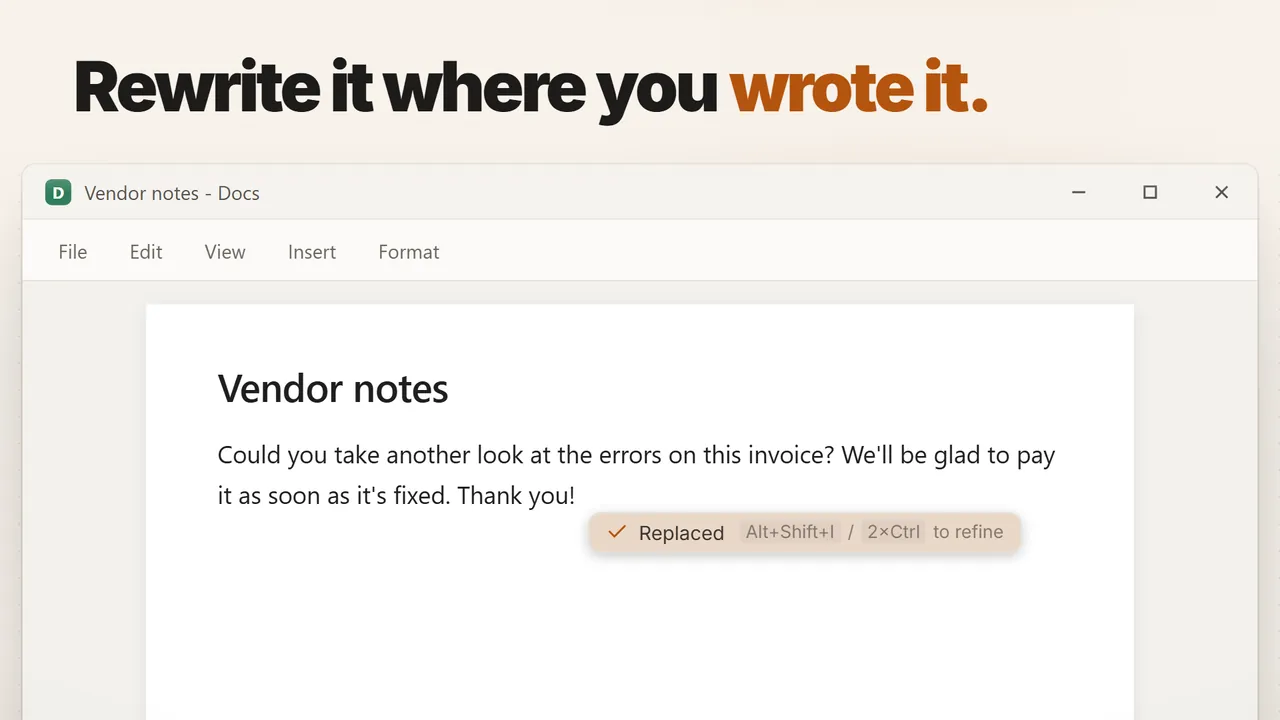
Tap Ctrl twice, or press Alt+Shift+I, and type your request right at the cursor. Enter swaps it for the answer. Select text first and the request is about that text: "shorter", "friendlier", "in Spanish".
Or ask for nothing at all
Open the inline prompt in an empty reply box and just press Enter. It reads the window you are in and drafts what belongs there. Enter puts it in, Esc drops it.
Tidy the sentence you just typed
Finished a sentence in a hurry? One shortcut cleans up its spelling and grammar in place. Alt+Shift+R runs your favorite rewrite on any selection.
Compose from what you gathered
Collect the pieces.
Type @@snips.
A price in one email, a date in a PDF, a phone number on a web page.
Snip or copy each one as you find it, then type @@snips
where the message goes. A pill shows what you gathered. Say what you
want written, and it lands at your cursor.
- Snip 1Quote: 40 folding chairs, $1,180 total, Harbor Rentals
- Snip 2Delivery: Tue 10/13/2026, 8:00 AM
- Snip 3Contact: Sam Ortiz, (503) 555-0172
Three snips from three windows, one message.
Want one answer out of the pile instead of a whole
message? <<snips: the delivery time>> answers from your
snips inline, and <<snips:3 …>> looks at only the last
three. If your AI can see pictures, screenshot snips count too.
The cheat sheet
Every way in, and what it costs.
All of these are on the free plan. Every shortcut and typed trigger can be changed or switched off in Settings.
| Type or press | What happens | Plan |
|---|---|---|
| <<question>> | The answer replaces the question, right where you typed it | Free |
| <<? search>> | Same, answered from live web results | Free |
| <<snips: …>> | Same, answered from what you snipped and copied | Free |
| =2*32= | The result replaces the sum; plain math never leaves your PC | Free |
| … @@ai | End a line with it and the line runs as a request; the answer replaces the line | Free |
| Ctrl Ctrl or Alt+Shift+I | Opens the inline prompt at your cursor, about the selection if there is one | Free |
| @@snips | Writes something new from your collected snips, at your cursor | Free |
| Alt+Shift+R / Alt+Shift+F | Rewrite the selection / tidy the sentence you just typed | Free |
Want to speak the request instead of typing it? Hold a key, talk, and the answer is typed at your cursor. That one is part of Pro. See dictation.
What leaves your PC
Only what you put
between the brackets.
The brackets are spotted on your own PC. Nothing is sent until you close a lookup or press Enter on a request.
The question, and nothing around it
For <<3:30 central in pacific>>, the words
"3:30 central in pacific" go to the AI. The rest of your email stays
on your PC.
More only when you ask for more
Say "clipboard" and what you copied goes along. Say "screen" and a picture of that window goes along. Start with "snips:" and your snips go along. Select text and it rides with your request. Press Enter on an empty prompt and it reads the window to draft a reply.
Your key, your provider
With your own key from OpenAI, Anthropic, Google, xAI or OpenRouter, the request goes straight to them. Keys live in Windows' own password store.
Or keep it on your PC
Download the free on-device AI and answers are written on your own machine, with no key and no connection. It is smaller and slower than the big online ones.
Every request the app makes gets a row in the Sent log: where it went and how big it was, never the text. See what it watches
No subscription required
Keep it free. Or pay once for Pro.
Try everything free for 30 days. Then keep the free plan forever, or go Pro.
App forever. The first 100 buyers get every update for life; after that, a license includes 1 year of updates. Keep the last version you got if you don't renew. This is not a stealth subscription.
Free trial
30 days
- Every feature, no limits
- Lookups, web answers, @@ai and the inline prompt included
- Then keep the free plan forever, or go Pro
- No card up front. Nothing to cancel.
Free
$0 forever
- Inline lookups, web answers, the calculator and
@@snips - Inline prompt,
@@ai, rewrite and sentence cleanup - Snip, grab text, clipboard cycler, text expansions, calculator
- Smart paste, verification codes, AutoCorrect, command palette
100 AI actions a month on us. Want more? Use the free on-device model, your own AI key, or the AI plan.
Pro
$59 one-time
$59 for the first 100 buyers, then $79, then $99.
- Everything in Free, plus Screen Memory, the journal, meetings and billing
- The Studio look, webcam and step-by-step recordings
- Unlimited on-device dictation, no quota to run out of
- Speak a request and the answer types at your cursor
- Own it forever, no subscription
- Every future update, for life
- 30-day refund, no questions asked
$59 is the founding price for the first 100 buyers, with lifetime updates. It ends when those seats sell out, not on a timer. The next 200 buyers pay $79, and after that the price is $99. Those two include one year of updates, renewable for $39/yr (or don't renew and keep what you have). Or get lifetime updates for $199. Every option is a single payment with the 30-day refund.
AI Included
$12 a month
AI that just works. Nothing to set up.
- 5,000 fast AI actions a month
- 1,200 minutes of cloud dictation a month
- Every Pro feature included while it runs
- No key to get and no AI account to open
- Works on its own, or on top of a Pro license
It renews automatically at that price until you cancel. Cancel anytime from Manage subscription in the app, or at app.lemonsqueezy.com/my-orders.
AI that works the moment you subscribe. Or use your own AI key, or the free on-device model.
There are three ways to run the AI. The free on-device model answers on your own PC and costs nothing to run; it is smaller and slower than a cloud model. With your own AI key you pay the AI company directly for what you use. The $12/month AI plan is for people who want AI to just work: no key and nothing to set up, one bill, 5,000 fast AI actions a month, 1,200 minutes of cloud dictation, and every Pro feature included while it is active. On-device dictation and transcription are unlimited with Pro or the AI plan.
Before you ask
Questions, answered.
Is this really free?
Yes. The lookup, web answers, @@ai, the inline prompt and
@@snips are all on the free plan, and the free plan does not
expire. They need an AI to answer: with no key, 100 AI actions a month
are on us, and with your own key there is no cap from us.
Will it go off while I am typing normally?
No. It only fires when a << starts a word, the
>> is the very last thing you typed, and there is a
word in between. <<>> and <<123>>
are left alone. Terminals and code editors are skipped out of the box,
and you can pick different brackets if yours clash.
What gets sent, and where?
Only the words between the brackets, or the request you typed, go to the AI you chose. The clipboard, a picture of the window, your snips or your selection go along only when you ask for them. With your own key, the request goes straight to your provider.
What if I change my mind halfway?
Press Esc while it is working and your question comes back exactly
as you typed it. The same happens if no answer comes back. With
@@ai, Esc at the pill leaves your line untouched.
Which apps does it work in?
Any Windows app you type into: mail, chat, documents, notes and forms in any browser. It is a Windows feature, not a browser extension, so there is nothing to install per app.
Can I change the shortcuts and triggers?
Yes. The brackets, @@ai, @@snips, the
double tap and Alt+Shift+I can all be
changed or switched off in Settings, Writing tools.
What about macOS?
Windows first: that's where the deepest integration is possible today. macOS is on the roadmap but not dated.